
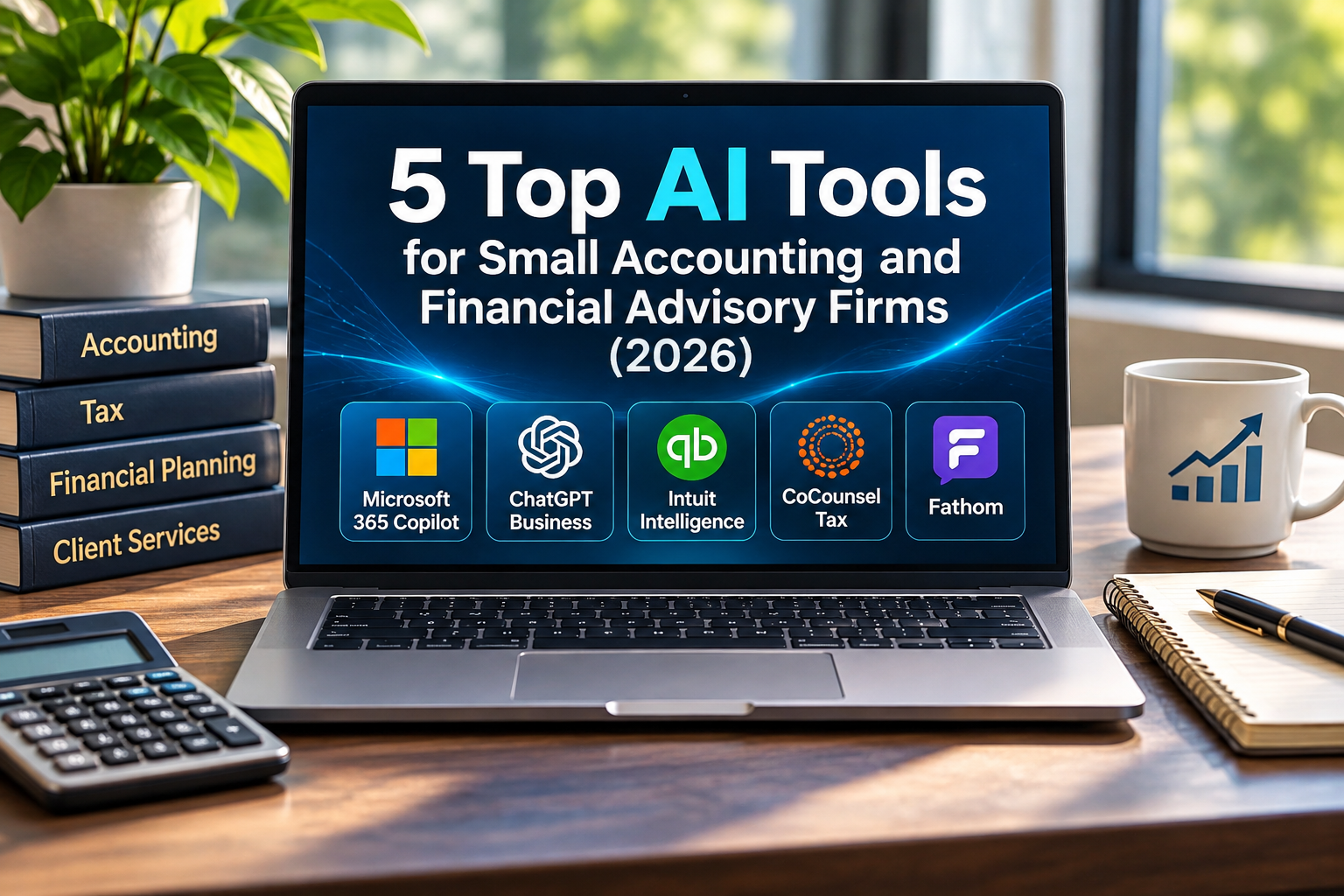
5 Top AI Tools for Small Accounting and Financial Advisory Firms (2026)
5 Top AI Tools for Small Accounting and Financial Advisory Firms (2026)
Running a small accounting or financial advisory firm involves a lot more than managing numbers. Preparing reports, answering client emails, researching tax questions, documenting meetings, and handling admin tasks all add up to a lot of work that goes beyond what clients pay for.
Artificial intelligence (AI) promises to make some of that work easier. But finding the right AI tools can seem like just one more thing to add to your busy schedule.
Some apps are made just for financial professionals. Others help with daily tasks like writing, research, and organizing information. If your business deals with sensitive financial records, picking software is about more than just flashy features.
So, which AI tools should you consider in 2026, and how do you know which ones fit your firm? Here are five options, their costs, and what to know before bringing them into your business.
Which AI Tools Are Worth Considering?
The best AI tool depends on what your team needs help with most. If you want to boost daily office productivity, Microsoft 365 Copilot and ChatGPT Business are good options to check out.
If you already use QuickBooks, Intuit Intelligence could be helpful. Firms that do a lot of complex tax research might prefer Thomson Reuters CoCounsel Tax. For financial advisors who spend a lot of time on meeting notes, Fathom can help with AI-powered summaries.
These tools don’t compete directly. Each solves a different problem, and most firms won’t need all five. Here’s how each one can help.
1. Microsoft 365 Copilot: Best for Everyday Office Productivity
Best for: Accounting and financial advisory firms already using Microsoft 365.
If your team uses Outlook, Word, Excel, and Teams most of the day, Microsoft 365 Copilot could be a good starting point. Copilot adds AI help right inside the Microsoft programs you already know, so employees don’t have to learn something new. This is especially useful for small firms where people handle both client work and admin tasks.
What Can Microsoft 365 Copilot Help With?
Depending on the applications, licensing, and features available to your firm, Copilot can help employees:
Summarize lengthy email conversations in Outlook.
Draft and revise documents in Word.
Analyze information in supported Excel workbooks.
Organize meeting discussions and follow-up items in Teams.
Find relevant information across files they have permission to access.
Picture a financial advisory office getting ready for its weekly meeting. The office manager has to review emails, collect updates from staff, and make an agenda. Copilot can help pull all that information into one document. The manager still needs to check the results, but it can save time compared to doing it all by hand.
What Does Microsoft 365 Copilot Cost?
Microsoft lists Microsoft 365 Copilot Business starting at $18 per user per month with annual billing as a promotional offer. You’ll also need a qualifying Microsoft 365 subscription. Prices and eligibility could change.
What Should Your Firm Consider?
Before you start using Copilot, review how your company controls access to files and documents. Here’s why.
Copilot uses information employees can already access. If someone still has access to confidential files they don’t need, adding AI won’t fix that. In financial advisory firms, this could let employees find client documents, internal financial data, or other sensitive records during searches. Check shared folders, document permissions, and who can access what before you start using the tool.
The takeaway: If your firm already uses Microsoft 365, try Copilot first with a few employees who handle admin work. You might not need to buy licenses for everyone.
2. ChatGPT Business: Best for Writing, Research, and Administrative Tasks
Best for: Firms that want a flexible AI assistant for a variety of everyday business activities.
Not every productivity issue needs special financial software. Sometimes, employees just need help organizing projects, making internal documents, writing messages, or understanding new information.
That’s where ChatGPT Business comes in. Unlike tools tied to one accounting system, ChatGPT can help with many kinds of work across your business.
What Can ChatGPT Business Help With?
For accounting and financial advisory firms, useful applications may include:
Client education: Drafting explanations of general financial concepts in everyday language.
Internal procedures: Creating checklists, training materials, and office instructions.
Research preparation: Summarizing information and identifying questions that need further investigation.
Spreadsheet assistance: Explaining formulas, organizing data, and helping analyze information.
Administrative planning: Organizing recurring tasks and preparing working documents.
Think about a small accounting firm preparing for tax season. The office manager has to organize who does what, make a checklist of documents clients need to send, and write reminder emails. Instead of starting from zero, they can use ChatGPT to create first drafts.
Employees can review and edit these materials before using them. A financial advisory firm could do the same when making a newsletter about financial planning basics. In both cases, you’re not letting AI make investment decisions or give personal tax advice.
What Does ChatGPT Business Cost?
ChatGPT Business offers Standard seats for $20 per user per month with annual billing, or $25 per user per month if you pay monthly.
You need at least two paid seats for a workspace. OpenAI also has Premium seats with more usage, but they cost more.
What Should Your Firm Consider?
OpenAI says business workspace data isn’t used to train its models by default. That’s important, but employees still shouldn’t upload confidential client records without care. Before using ChatGPT with sensitive info, review your firm’s privacy rules, internal policies, and any regulations that apply.
Set clear rules for checking AI-generated information. ChatGPT can give answers that sound right but might be incomplete or wrong. This is especially important when dealing with tax, financial calculations, or investment info.
For these tasks, AI should help your team, not replace the professional judgment your clients rely on.
The takeaway: ChatGPT Business is a good option for general admin work. Begin with tasks that don’t involve confidential client info, and think about wider uses after checking your security needs.
3. Intuit Intelligence: Best for Accounting and Bookkeeping Workflows
Best for: Accounting professionals and businesses using supported QuickBooks products.
For many accounting firms, the best AI features might already be in the software you use daily. Intuit Intelligence adds AI tools to supported QuickBooks products. Instead of moving your accounting data to another app, employees can use AI features right in the platform.
What Can Intuit Intelligence Help With?
Depending on the QuickBooks product and available features, Intuit Intelligence can assist with:
Answering questions about business financial information.
Finding transactions or records that need attention.
Organizing accounting information.
Identifying financial patterns and changes.
Supporting certain recurring accounting tasks.
Picture an accountant checking a client’s expenses. They need to find transactions from a certain time and look into a sudden change in spending. Instead of searching through lots of reports, they can ask Intuit Intelligence to pull up the right info. The accountant still needs to review the records, but finding them is easier.
What Does Intuit Intelligence Cost?
Intuit Intelligence chat comes with eligible QuickBooks subscriptions, but there are monthly usage limits. You can buy extra chat allowance for $10 per month.
The add-on gives you more prompts, but it’s not unlimited. Since features and eligibility can vary, check your QuickBooks subscription details before buying extra services.
What Should Your Firm Consider?
AI bookkeeping tools still need a human to review the results. For example, two transactions might look alike but need different accounting treatment. AI can spot patterns or suggest categories, but an accountant has to make the final call.
It’s also smart to check what features your current subscription already has. You might find helpful tools without needing to add another app.
The takeaway: If your firm uses QuickBooks, look at the Intuit Intelligence features you already have before looking for other accounting automation tools.
4. Thomson Reuters CoCounsel Tax: Best for Specialized Tax Research
Best for: Accounting and tax firms that regularly research complicated tax questions.
General AI tools are useful for explaining concepts and organizing information. However, when accountants research tax law, they need more than just a good-sounding answer. They must know which authorities apply, if the information is up to date, and how it fits a client’s situation.
Thomson Reuters CoCounsel Tax helps with these tasks. It brings together AI features, tax research content, and document analysis tools.
What Can CoCounsel Tax Help With?
CoCounsel Tax can help with the following, depending on your plan:
Researching tax questions.
Finding supporting tax authorities.
Analyzing documents.
Organizing information for client matters.
Preparing working research materials.
For example, suppose an accountant is looking into the tax treatment of an unusual business transaction. A general AI assistant might give an explanation, but the accountant still has to check which rules apply and if current guidance supports the answer.
CoCounsel Tax can help find relevant information and give references for the accountant to review. This is important because the real value is not just getting a quick answer, but being able to check the information behind it.
What Does CoCounsel Tax Cost?
Thomson Reuters currently lists CoCounsel Tax Essentials at $1,300 per year for one user.
The plan gives you up to 20 Checkpoint-backed responses each week, plus document analysis, workspaces, and other AI features.
Additional research capabilities may require a different subscription or module.
What Should Your Firm Consider?
CoCounsel Tax is more specialized than the general productivity tools we’ve discussed. This focus can be helpful for accounting and tax professionals, but it may not be as useful for every financial services firm.
A tax practice that often deals with complex research questions may find it worthwhile to try. A financial advisory firm focused on investment management may not need these features as much. Also, even though the software gives supporting references, accountants still have to check if those references fit the specific issue.
The takeaway: CoCounsel Tax is worth considering if your firm often needs specialized tax research. Its value depends on how much your employees need this kind of support.
5. Fathom: Best for Meeting Notes and Client Follow-Up
Best for: Accounting and financial advisory firms that conduct frequent virtual meetings.
Client meetings are not finished when the call ends. Someone still has to organize notes, record key decisions, list follow-up tasks, and update internal records.
For professionals who spend a lot of time in client meetings, this administrative work can pile up. Fathom is an AI meeting assistant that records, transcribes, and summarizes supported virtual meetings.
What Can Fathom Help With?
Depending on the plan, Fathom can help employees:
Prepare meeting summaries.
Identify possible follow-up tasks.
Search previous recordings and transcripts.
Organize information from client conversations.
Support certain CRM-related workflows.
Picture a financial advisor meeting with a client to talk about future financial goals. During the meeting, they note which documents the client should provide and topics to discuss next time.
After the meeting, the advisor can look over an AI-generated summary, make sure the details are correct, and organize follow-up tasks. This can cut down on some of the administrative work. Still, the advisor is responsible for making sure the final record is accurate.
What Does Fathom Cost?
Fathom has a free individual plan that includes recording, transcription, and AI meeting summaries.
The Team plan starts at $15 per user each month (billed annually) and requires at least two users.
You can get more features with higher-priced plans.
What Should Your Firm Consider?
Financial advisory firms should pay close attention here. Recording client meetings raises privacy, security, and recordkeeping issues. Before using an AI meeting assistant, check if it fits your firm’s policies and the law. Make sure you know who can access recordings, how long information is kept, and if meeting participants need to give consent.
If your business is in California, pay special attention to recording laws. Financial advisory firms should also check if recordings or transcripts count as regulatory records. An AI-generated summary does not automatically replace records your business must keep.
The takeaway: Fathom can help firms that spend a lot of time on meeting notes. Just make sure your recording, privacy, and retention policies are set before using it with clients.
How Do You Choose the Right AI Tool for Your Firm?
With so many AI products out there, it’s easy to get caught up in the latest features. But if you buy software before knowing what problem you want to solve, you might end up with a tool your team rarely uses. It’s better to start by looking at the work that needs improvement.
1. Ask Employees Where They’re Losing Time
Ask the people who do these tasks every day.
Are they spending too much time preparing client communications?
Do they struggle to find information in accounting software?
Are meeting notes taking longer than the meetings themselves?
Their answers can help you find the right kind of AI tool.
An accounting firm with lots of repetitive bookkeeping may get more out of QuickBooks features than a general writing assistant.
A financial advisory firm that spends hours on meeting notes may have other priorities.
2. Check the Software You Already Own
Before buying another subscription, check what tools your firm already uses. Your Microsoft 365 or QuickBooks plan might have AI features you haven’t tried yet.
You might find that two apps offer similar features. This doesn’t mean you have to cancel one, but it’s good to know where you’re paying for the same thing twice.
3. Review Security Before Connecting Client Information
This step is especially important for accounting and financial advisory firms. A new AI tool might need access to documents, emails, meeting recordings, or business records.
Before giving that access, think about what information the tool will get and how it will be protected. Ask your IT provider and compliance team to review the plan, especially if it involves confidential client data.
Depending on your firm’s regulatory status, you may have rules about confidentiality, service-provider oversight, recordkeeping, and information security. Make sure you know these obligations before employees use the software with real client data.
4. Test One Tool Before Buying Licenses for Everyone
You don’t have to roll out AI to your whole firm to see if it works. Pick one regular task and try a tool with a small group. For example, you could have your admin team use an approved AI app to make internal meeting agendas for two weeks.
See how long the work takes, how much editing is needed, and if the results are helpful. If the tool doesn’t make things better, that’s still useful to know. You can move on without signing up the whole office for another subscription.
5. Keep People Responsible for the Final Work
AI can help with preparing documents, organizing information, and spotting patterns. But your firm is still responsible for providing accurate services. Employees should always review AI-generated content before using it in client communications, accounting, tax research, or investment work.
The aim is to let professionals spend less time on repetitive work while keeping the judgment that clients trust.
Frequently Asked Questions About AI in Accounting and Financial Services
Can Accounting Firms Safely Use ChatGPT With Client Information?
It’s possible, but it depends on the product, how it’s set up, the type of information, and your firm’s rules. Business plans may have admin and data protection features that personal accounts don’t offer.
But employees shouldn’t assume that a business subscription makes it okay to upload any client information. Check the product’s security settings, your firm’s confidentiality rules, and any regulations before using AI with sensitive records.
Is Microsoft 365 Copilot Better Than ChatGPT for Financial Advisors?
Neither one is always the better choice. Microsoft 365 Copilot can be especially helpful for firms that want help in Outlook, Word, Excel, and Teams.
ChatGPT Business is more flexible for writing, research, document analysis, and admin projects.
The best choice depends on how your employees work and what tasks you want to improve. Try both tools on the same approved, low-risk task to compare the results.
Can AI Replace Accountants or Bookkeepers?
AI can help with some bookkeeping, research, and admin tasks, but professional work often needs context and judgment.
Automated results can have mistakes or miss important details.
For most small firms, it’s more practical to use AI to cut down on repetitive work while keeping proper professional review.
Do Financial Advisory Firms Need Compliance Approval Before Using AI?
No single approval makes an AI tool compliant for all financial advisory firms. What’s required depends on your firm’s regulatory status, the type of information you handle, and how you plan to use the technology.
Before adding AI to any client-related workflow, talk with your compliance and information security teams about how you plan to use it.
How Can We Tell Whether an AI Subscription Is Worth the Cost?
See what changes once your team starts using the tool. Does it cut down on repetitive tasks? Are the results accurate enough to help? Does it fit into your current processes, or does it add extra work because you have to check and fix its output?
When you evaluate a tool, remember to factor in the costs for subscriptions, training, and administration. A tool doesn’t have to do everything to be worthwhile. It just needs to make a key part of your firm’s work better so the cost makes sense.
Final Thoughts: Pick AI That’s Useful, Not Just More AI
AI gives accounting and financial advisory firms new options for handling admin work, organizing information, and supporting daily business tasks. But just adding another app won’t automatically make your team more productive.
A small accounting firm might benefit from AI bookkeeping features. A tax firm could get more out of specialized research tools. And a financial advisor who spends hours on meeting notes may find an AI meeting assistant more helpful.
The best choice depends on what your team needs help with. Sometimes, the most useful AI feature is already built into software you already use.
The best AI tool isn’t always the one with the most features. It’s the one that helps your team work better without adding new problems.
Before You Buy Another AI Subscription, Do This First
Choose one repetitive task your team does every week. It could be preparing meeting notes, organizing information for a report, or drafting routine client messages.
Then ask yourself three questions:
How much time does this task take? Could an AI tool help? And what information would the tool need to access?
Next, see if your current software already has a feature that can handle this task.
If not, try testing one of the tools mentioned above with a small group of employees and approved information.
If the tool needs access to confidential client records, make sure to involve your IT provider and compliance team before connecting it to your business systems.
Don’t wait until you’ve bought licenses for everyone to find out a tool isn’t right for you. Testing on a small scale now can help you make a better decision before adding another subscription to your monthly costs.
Last reviewed: November 2026. Product features, prices, subscription requirements, and availability may change. Verify current information with the relevant vendors before making purchasing decisions.